




Open a datasheet for almost any switching power supply and you will find two numbers that seem to disagree. The first, on the front page, says 240 W. The second, buried near the back, is a chart showing that at 70 °C the same unit is only good for about half that. Neither number is wrong: the nameplate rating is simply conditional, and power supply derating is the rule book for when the conditions tighten.
What Is Power Supply Derating? The Nameplate Is Only the Start
Derating means deliberately operating a component below its headline rating to keep temperatures and lifetimes inside safe limits. For power supplies, the specification that matters is usually expressed as a derating curve: a chart that maps ambient temperature (and sometimes input voltage or altitude) to the output power the unit can deliver continuously without cooking itself (PULS).
Why does a supply need this at all? Because a switching power supply is not 100 % efficient. The losses end up as heat inside the case, and the components that generate and absorb that heat have thermal limits. The parts that wear out, above all the electrolytic capacitors, age faster as their temperature climbs. So the manufacturer draws a line on a graph that says: this much power is safe at this ambient temperature (TDK-Lambda).
A typical industrial curve looks like this: full output power up to around 50 °C ambient, then a straight-line decline to roughly 50 % of rated power at 70 °C (TDK-Lambda). The exact knee and slope vary by series, and that variation is where most of this article lives.
Typical temperature derating curve for an industrial power supply
One clarification before we go further: “derating” is also used for wire ampacity (the NEC temperature correction tables) and for solar inverter output limiting. This article is only about the power supply’s own curve: the one that decides what a 24 V DIN-rail supply in your cabinet can actually deliver.
Five Conditions That Force a Power Supply to De-rate
Temperature is the dominant trigger, but it is not the only one. Any of these five conditions can pull the available output below the nameplate figure:
- Ambient temperature (the main one). Above the full-load temperature, typically 50 °C, output falls along the curve. Inside a sealed or sun-facing enclosure, the air around the supply can easily sit 10–15 °C above room temperature.
- Low input voltage. Near the bottom of the input range, around 90 VAC on universal-input units, the supply draws more current to deliver the same power, and the input filter, bridge rectifier and PFC stage run hotter. Some units drop to ~80 % of rated output at 90 VAC (XP Power).
- Altitude above 2,000 m. Thinner air cools less effectively. Above 2,000 m, most manufacturers require derating (up to about 5,000 m maximum) (PULS).
- Mounting orientation. Convection-cooled units rely on warm air rising out through the case vents. Install the supply in an orientation the manufacturer never intended, laid flat instead of upright with the vents blocked, and cooling collapses. There is no universal penalty factor; each unit has its own orientation guidance.
- Cold start. Some supplies de-rate at the cold end too, down around −20 °C, so that startup is smooth and hiccup-free. Once warmed up, full power is available again (TDK-Lambda).
The five derating triggers at a glance
| Trigger | Typical threshold | Typical magnitude | Action you can take |
|---|---|---|---|
| Ambient temperature (most common) | 50 °C (typical full-load point) | Falls linearly to ~50 % at 70 °C | Size by the cabinet’s worst-case summer temperature |
| Low input voltage | ~90 VAC on universal-input units | ~80 % of rated output | Check your actual line voltage, not the nominal one |
| Altitude | Above 2,000 m | Derating required, up to ~5,000 m max | Confirm altitude with the manufacturer’s curve before a high-elevation install |
| Mounting orientation | Differs from the datasheet’s intended position | No universal number — unit-specific | Follow the orientation chart in the installation manual |
| Low-temperature start | ~−20 °C range | Some units derate until warm | Allow warm-up before full load in unheated plants |
How to Read a Derating Curve and Size a Supply for a Hot Enclosure
This is the section most guides skip, and it is the one that saves you from a cabinet that browns out every August. Three steps.
Step 1: find the curve. The full derating data almost always sits at the end of the datasheet, not in the marketing summary or the short-form catalog page (XP Power). If a supplier only sends you a one-page catalog extract, the curve, and with it the real rating, is missing.
Read three points off the curve
Step 2: multiply, don’t add. When two conditions stack (high temperature plus low input voltage, say), the de-ratings multiply rather than add. A supply that delivers 90 % at 85 VAC and 50 % at 70 °C delivers 0.9 × 0.5 = 45 % when both conditions occur at once. TDK-Lambda spells out the classic example: a 150 W supply in those combined conditions is only good for about 67.5 W (TDK-Lambda).
Try it on a real cabinet. A 24 V, 240 W DIN-rail unit (10 A) sits in an enclosure that reaches 60 °C on a summer afternoon. Interpolating on the typical curve, full power to 50 °C and half at 70 °C, the unit is good for about 75 % at 60 °C: roughly 180 W, or 7.5 A. If your load draws 8 A continuous, the 240 W nameplate is a fiction in that cabinet. You need the next power class, where a 480 W unit at 75 % still leaves 15 A of headroom, or real ventilation.
Step 3: check installation before you blame the supply. Orientation and airflow change the number again. Forced air makes a dramatic difference: one 550 W enclosed supply delivers 230 W convection-cooled, 450 W conduction-cooled, and the full 550 W only with a fan (DigiKey forum). In panel-builder practice, rules of thumb circulate that are cruder than any datasheet: “assume 50 % derating if you lay the supply flat” is real folklore on control-panel forums (r/PLC, r/PLC). The instinct behind it is right, since orientation genuinely matters for convection-cooled units, but the 50 % figure is not a law of physics. Read the orientation chart for your unit.
One more thing worth knowing: a power supply does not politely derate itself. If you pull more than the curve allows, most units simply run hotter and age faster; sustained overload ends in thermal shutdown or protective hiccup mode (PULS). Short excursions are generally survivable. Long ones are how capacitors die young.
Why Two “100 W” Supplies Deliver Different Power at the Same Temperature
Here is the part that feels like a trap until you see it: two supplies with identical nameplate wattage can have derating curves that start at different temperatures, and at a given ambient they deliver very different power. The curve is a design choice, and knowing how to read it tells you which “100 W” you are actually buying.
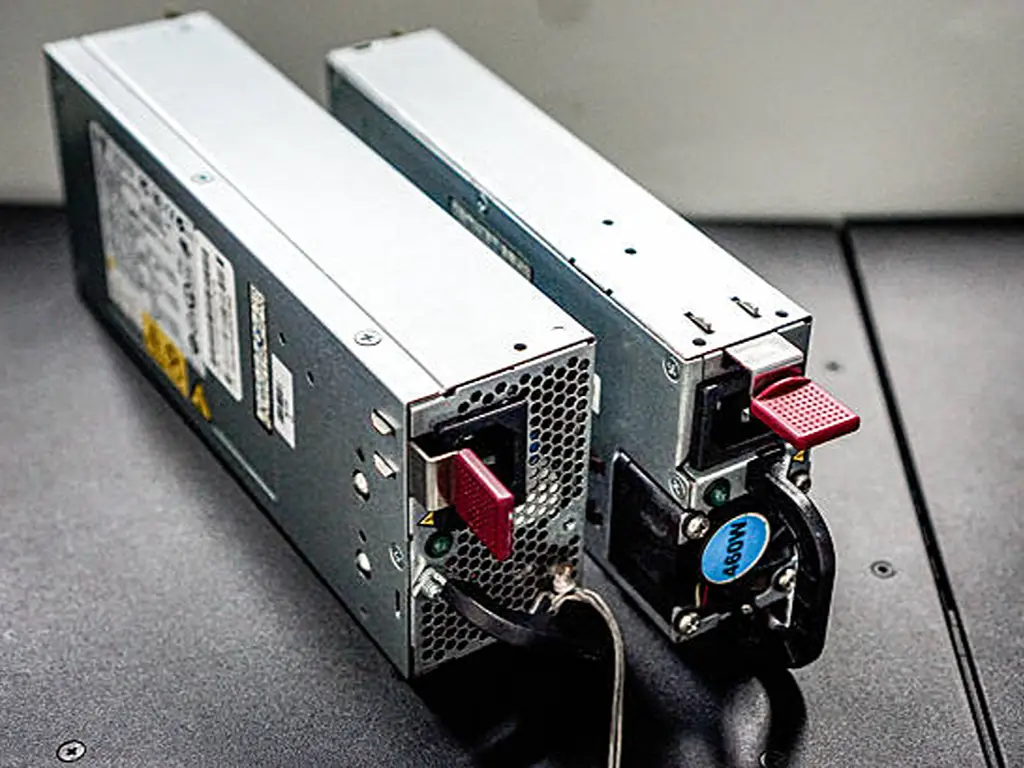
A steep curve is a design trade-off, not a defect
The shape of the curve is set by three things: the cooling architecture (convection, conduction through a baseplate, or forced air), the lifetime budget for the electrolytic capacitors, and the size and cost targets of the product. Manufacturers keep pushing power density up. XP Power openly notes that an increasing number of AC-DC supplies rely on derating specifications to improve their headline ratings (XP Power). In other words: the front-page wattage gets bigger, and the fine print, the curve, quietly moves earlier.
Compare the two real curve families. The traditional design is full power to 50 °C, falling to 50 % at 70 °C (TDK-Lambda). Some newer open-frame and high-density units move the full-load point down to 40 °C and reach 50 % by 60 °C (XP Power). Same nameplate, completely different machine.
Behind the curve is a lifetime ledger
The reason this matters is that the curve is not bureaucracy, it is a lifetime contract. Electrolytic capacitors are essentially the only wear-out component inside a power supply, and their life follows a version of the Arrhenius rule of thumb: every 10 °C you reduce the component temperature, expected life roughly doubles (TDK-Lambda). DigiKey’s application engineers work the example backwards: a capacitor rated 2,000 hours at 125 °C corresponds to decades of life if its temperature is held near 55 °C (DigiKey forum). Operate consistently beyond the derating curve and you are not “getting extra power for free”: you are trading away that ledger, and eating into the thermal margin of the isolation barrier (XP Power).
Putting a price on an aggressive curve
So how do you compare two “100 W” units? At a 40 °C ambient, the 50 °C-knee unit delivers its full 100 W. The 40 °C-knee unit is already on the slope, and per the shape above it is a ~75 W product in practice (XP Power). That is roughly a 25 % difference in usable power between two products sold at the same wattage, and the gap widens as the cabinet heats up (see table below).
Reading a “100 W” nameplate: two curve personalities at three ambients
| Curve personality | Full-load point | At 40 °C ambient | At 60 °C ambient |
|---|---|---|---|
| Typical (full to 50 °C, then 50 % at 70 °C) | 50 °C | 100 W | ~75 W |
| Aggressive (full to 40 °C, then 50 % at 60 °C) | 40 °C | ~75 W | ~50 W |
| Conservative (full to 50 °C+, forced-air option) | 50 °C or higher | 100 W | Cooling-dependent — can hold 100 W with a fan |
Compare Power Supplies by Usable Current, Not Nameplate Watts
If you specify, stock or resell power supplies, the practical rule is short: compare by usable current at the application temperature, not by nameplate watts. A “240 W” unit that holds full load to 50 °C and a “240 W” unit that starts fading at 40 °C are different products with the same label, and the buyer who compares front pages is the one who gets the field failure.
Three checks turn that rule into a habit:
- Ask for the complete datasheet, always. The derating curve lives on the last page of the full datasheet; catalog extracts and short-form pages routinely omit it (XP Power). A supplier who cannot or will not produce the curve page is asking you to buy on faith. In a hot-cabinet application, faith fails around August.
- Read the three points. Plateau end, slope, residual at max working temperature. Those three numbers tell you more than the wattage does.
- Run the application math before you quote or order. Take the customer’s worst-case cabinet temperature and continuous load current, walk them across the candidate’s curve, and confirm the derated figure clears the load. Leave headroom, because dust accumulation and blocked airflow quietly degrade cooling over the life of the equipment (DigiKey forum).
Selection checklist
When is stepping up a size wrong? When the environment is genuinely controlled: an air-conditioned electrical room where the cabinet never sees 50 °C, or when the load sits far below the nameplate anyway. The point of the exercise is to buy the curve you need, not the biggest label you can afford.
What Derating Means for Distributors and Resellers
Distributors sell what their customers need in the worst case, not what the nameplate promises in the best case. Derating is where those two diverge, and every point above has a business corollary.
First, your customers’ failures cluster exactly where the curve bites. A repair shop or panel builder wiring a supply into a sealed cabinet, sized by the front page, will hit under-power symptoms in hot weather: brownouts, restarts, premature failures. That is a return, a service call and a lost resale, all concentrated in the hot-enclosure applications the curve predicts. Selling by derated current at 60 °C is not extra diligence; it is avoiding the predictable complaint.
Second, stock the headroom. A catalog organized purely by wattage is systematically short of “hot-cabinet-capable” units, because the unit that solves an 8 A load in a 60 °C cabinet carries a 480 W label, not a 240 W one. When you stock the step-up classes alongside the nominal ones, the hot-environment order becomes a stock line instead of a special order.
Third, make the 25 % part of your quoting vocabulary. When a customer compares your quote against a cheaper same-wattage unit, the difference may be nothing more than an aggressive curve: 75 W of real machine wearing a 100 W label (XP Power). Explaining usable current at their cabinet temperature is how you defend a price on engineering grounds instead of price-matching on fiction.
Finally, treat the curve page as a supplier filter. If you cannot get the complete datasheet, curve included, from a source, you are importing that source’s specmanship risk and reselling it to your own customers. Full documentation is not a nicety; in this product category it is the specification.
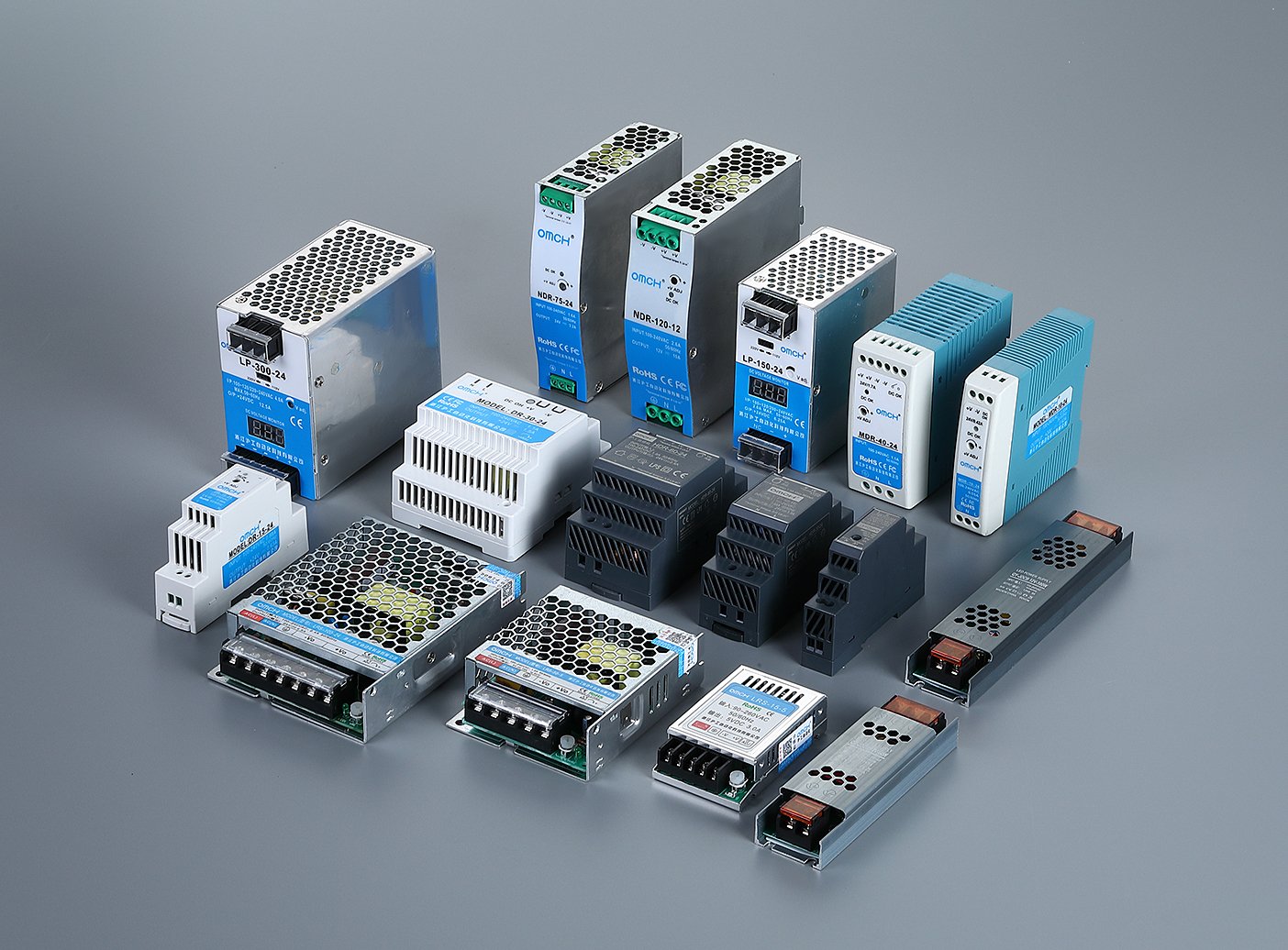
If you are sizing DIN-rail or enclosed switching power supplies for hot enclosures, our switch mode power supply range covers compact units through 480 W DIN-rail models with wide 85–264 VAC input and 105 °C-rated output capacitors. Our product selection service will match the unit to your real cabinet temperature, not just your wattage. Contact us with the ambient conditions and load profile before you order.
Size it by the curve, not the label.
Send your cabinet’s worst-case temperature and your continuous load. We’ll match the power class, the model and the curve before anything ships.
Send my load profileReferences
- DigiKey Forum. “Power Supply Thermal Derating: Why a 550 W Supply May Only Deliver 230 W.” 2023. https://forum.digikey.com/t/power-supply-thermal-derating-why-a-550-w-supply-may-only-deliver-230-w/70170
- r/PLC — Reddit. “Don’t mount heat producing components on vertical DIN rail.” 2024. https://www.reddit.com/r/PLC/comments/1cj8w5b/dont_mount_heat_producing_components_on_vertical/
- r/PLC — Reddit. “Anyone else do this.” 2025. https://www.reddit.com/r/PLC/comments/1lhyju8/anyone_else_do_this/


 English
  Arabic
  Turkish
  Russian
  Spanish
  French
  Indonesian
  Portuguese
  Thai
Thai  Vietnamese